Bug #818
openC1.16>>Requested Date, Decisioned Date, and Downloaded Date filters not working & Clear button missing for Downloaded Date in Service Installer Management
0%
Description
Description:
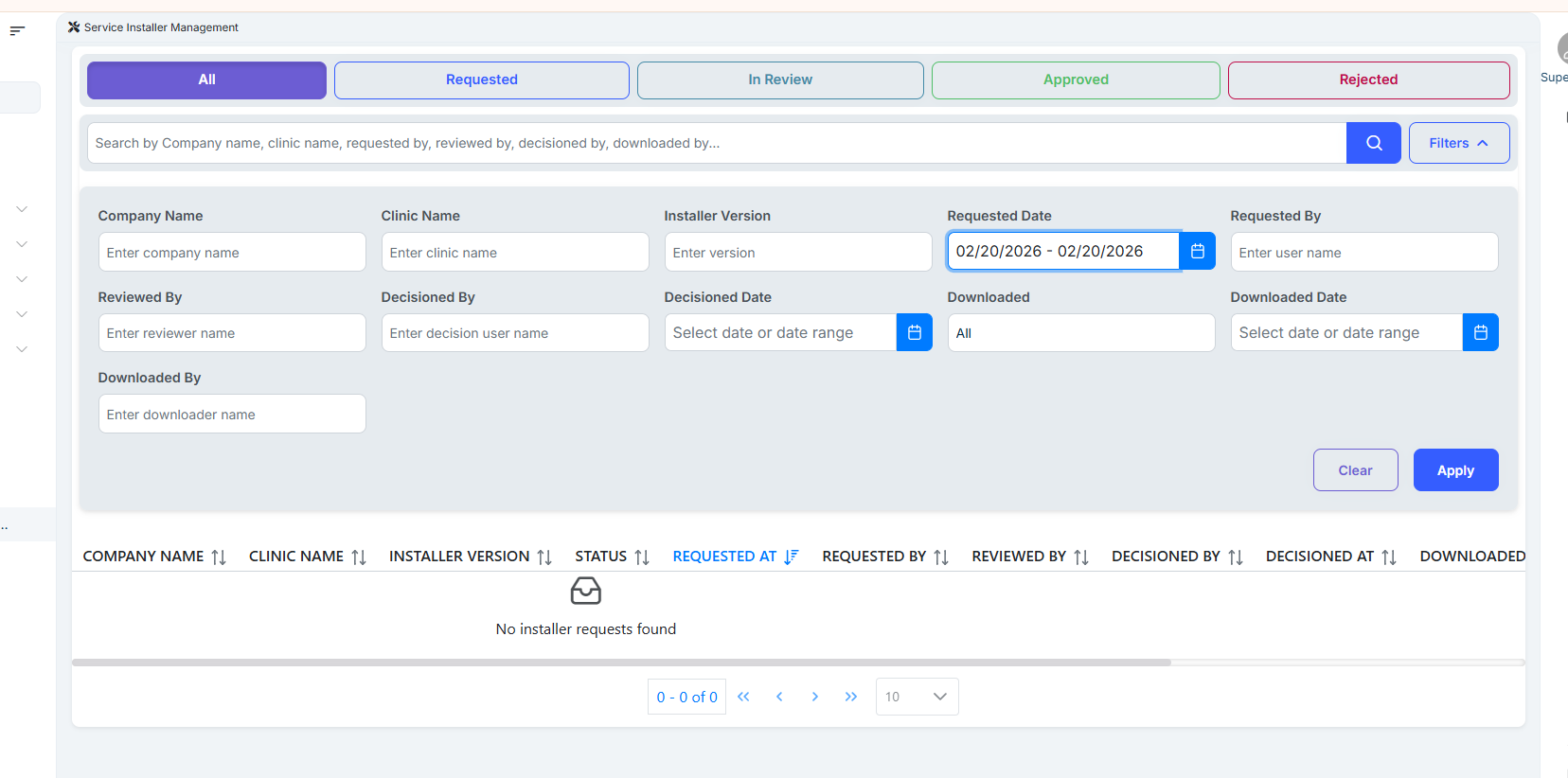
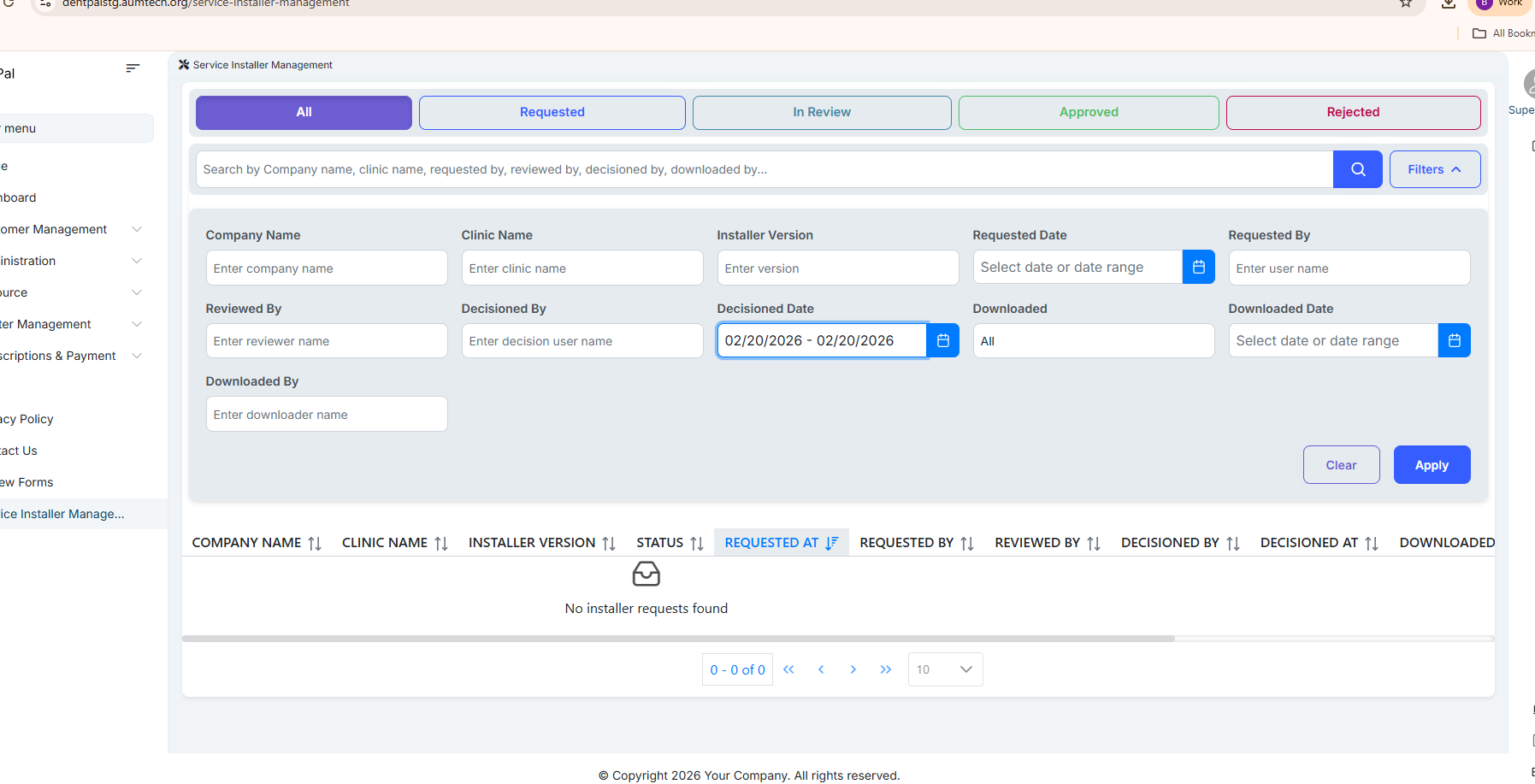
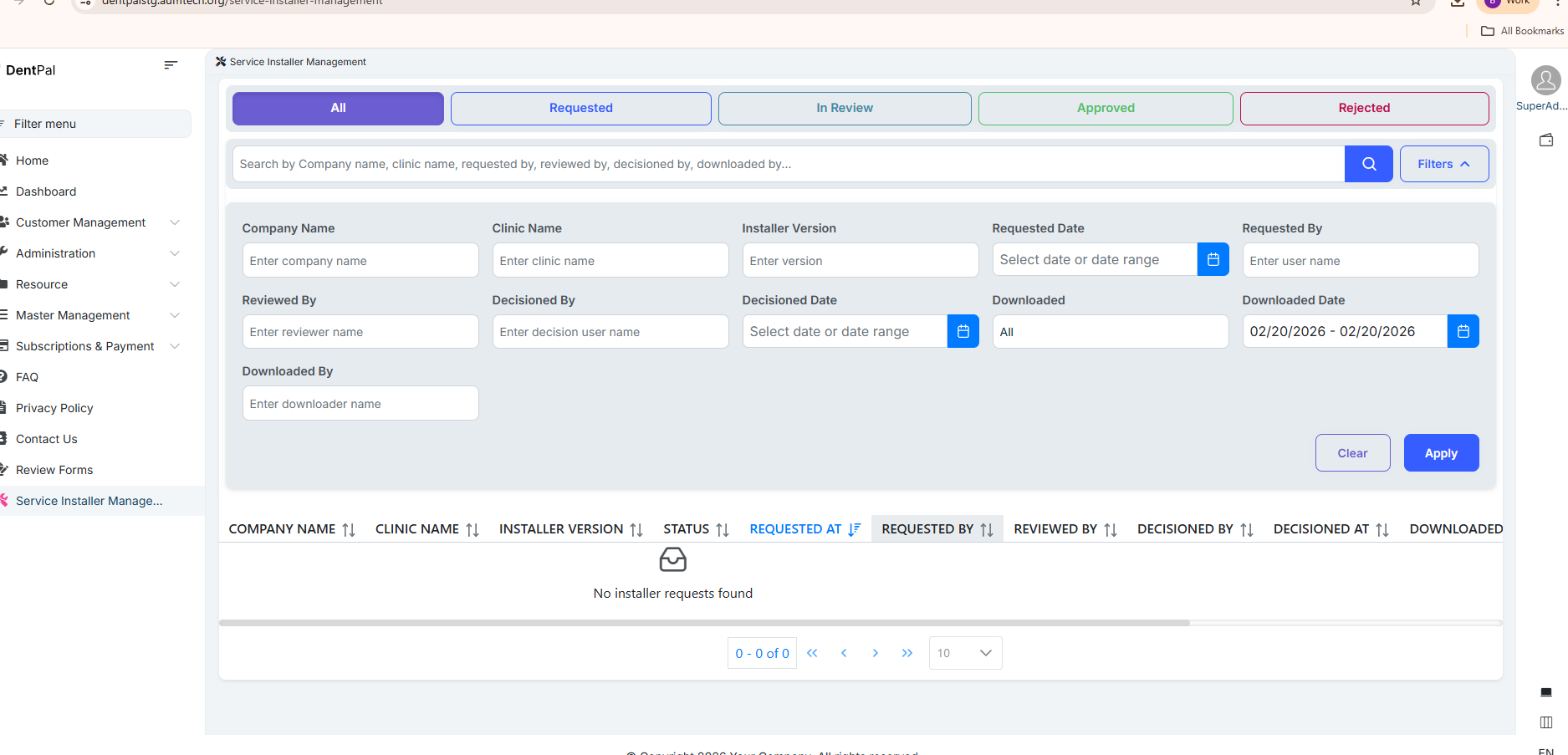
In the Service Installer Management module, the date filters Requested Date, Decisioned Date, and Downloaded Date are not functioning correctly.
When the user selects any date that contains existing data, the system still displays the message "No installer requests found" instead of showing the matching records.
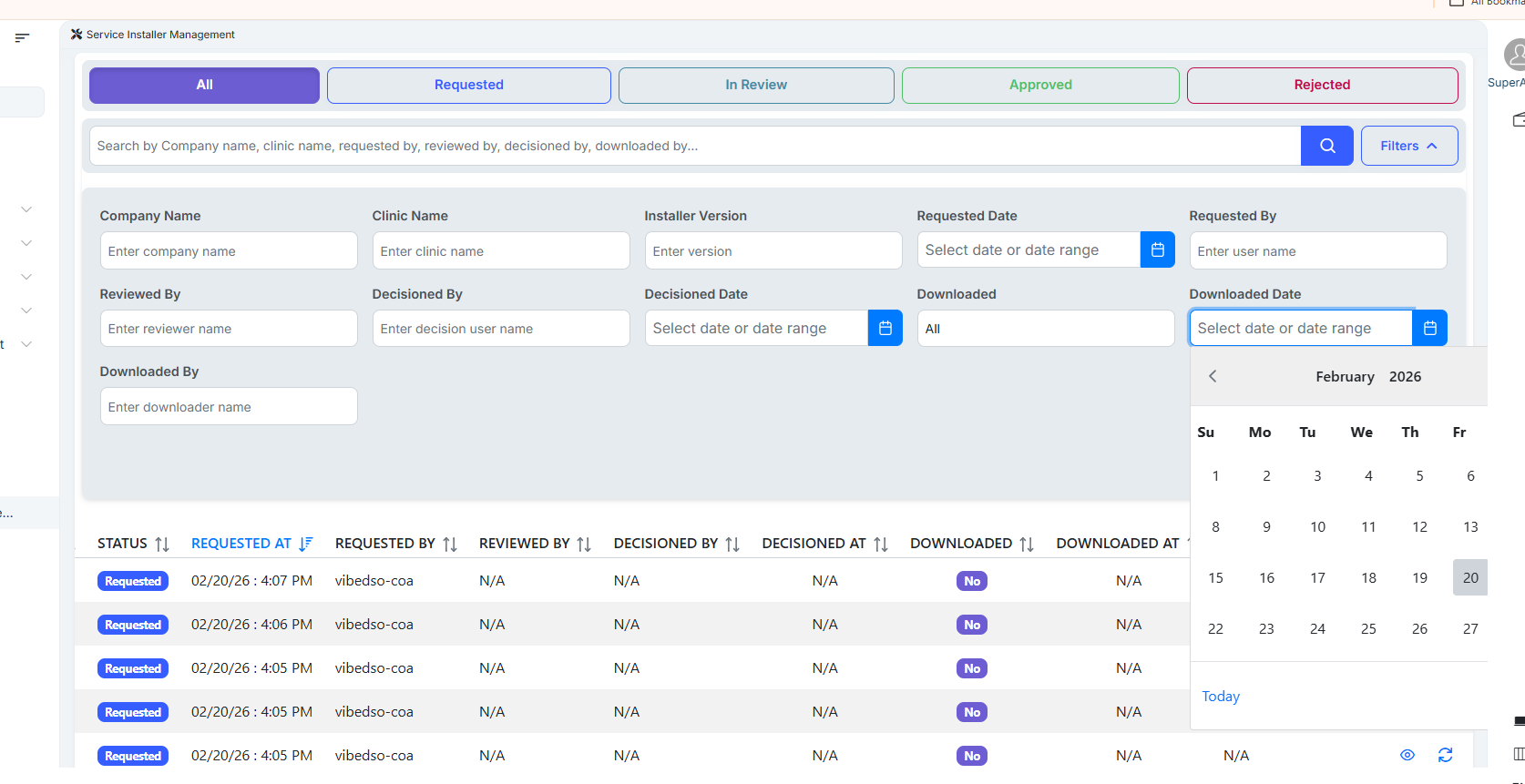
Additionally, in the Downloaded Date calendar filter, there is no Clear button available to reset or remove the selected date, which makes it difficult for users to quickly modify or clear the filter.
**Steps to Reproduce:
**
1.Navigate to Service Installer Management.
2.Open Filters section.
3.Select any valid date in Requested Date, Decisioned Date, or Downloaded Date (where data exists).
4.Apply the filter.
5.Observe the results.
6.Check the Downloaded Date calendar for Clear option.
Actual Result:
System shows "No installer requests found" even when data exists for the selected dates.
No Clear button available in Downloaded Date calendar to reset the selected date.
Expected Result:
System should display all installer requests that match the selected Requested Date, Decisioned Date, or Downloaded Date.
A Clear button should be available in the Downloaded Date calendar to allow users to easily reset/remove the selected date filter.
Files
Updated by Swarna B about 2 months ago
- Assignee changed from Swarna B to RishiKesh Tuniki
Updated by RishiKesh Tuniki about 2 months ago
- Assignee changed from RishiKesh Tuniki to Swarna B
Updated by Swarna B about 2 months ago
- File clipboard-202602211231-374oa.png clipboard-202602211231-374oa.png added
- File clipboard-202602211233-uhypn.png clipboard-202602211233-uhypn.png added
- File clipboard-202602211236-d83rl.png clipboard-202602211236-d83rl.png added
- Status changed from New to Resolved
- Assignee changed from Swarna B to Madhu Kampati
Fixed:
1. Requested Date, Decisioned Date, and Downloaded Date filters.
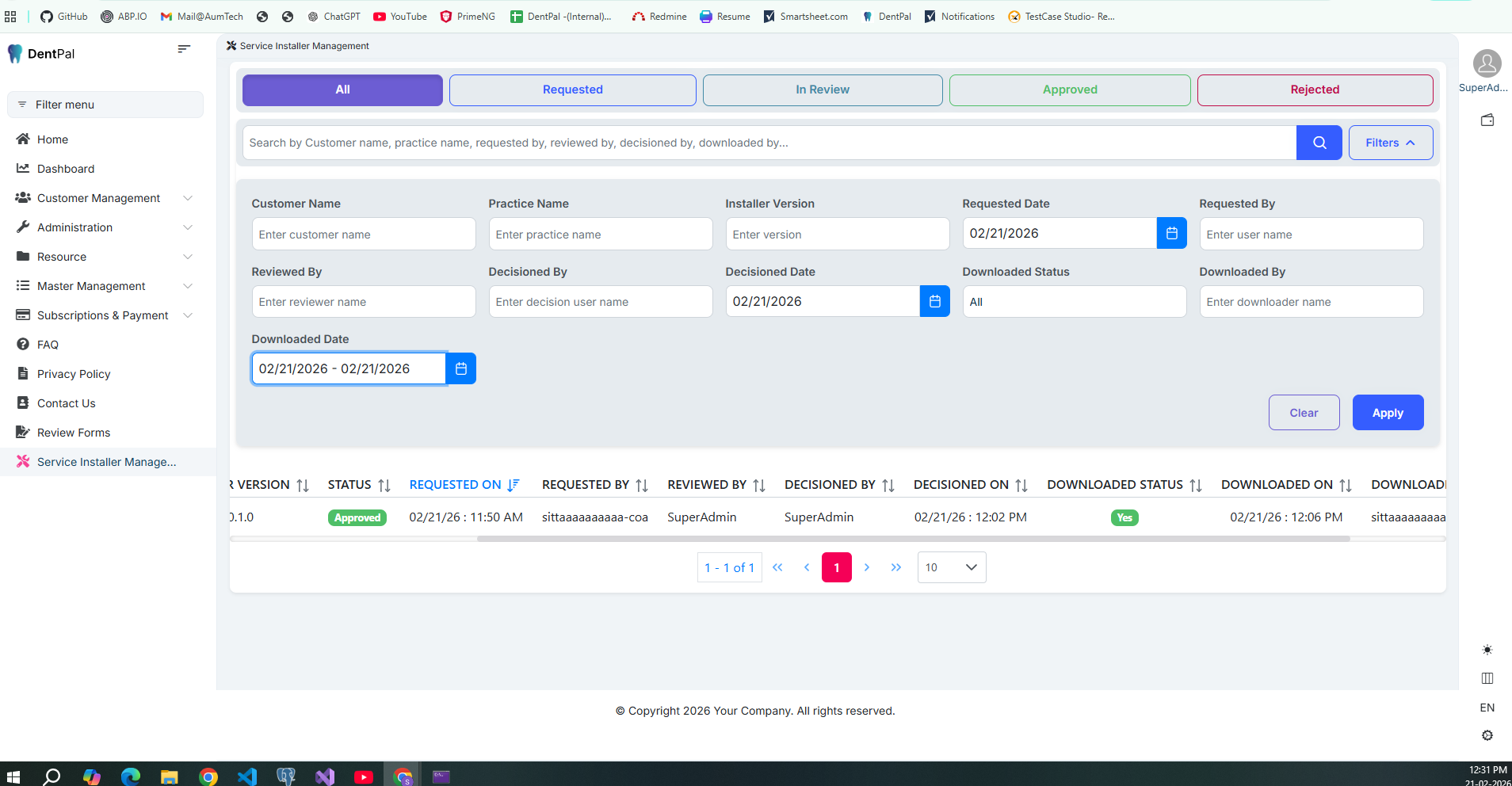
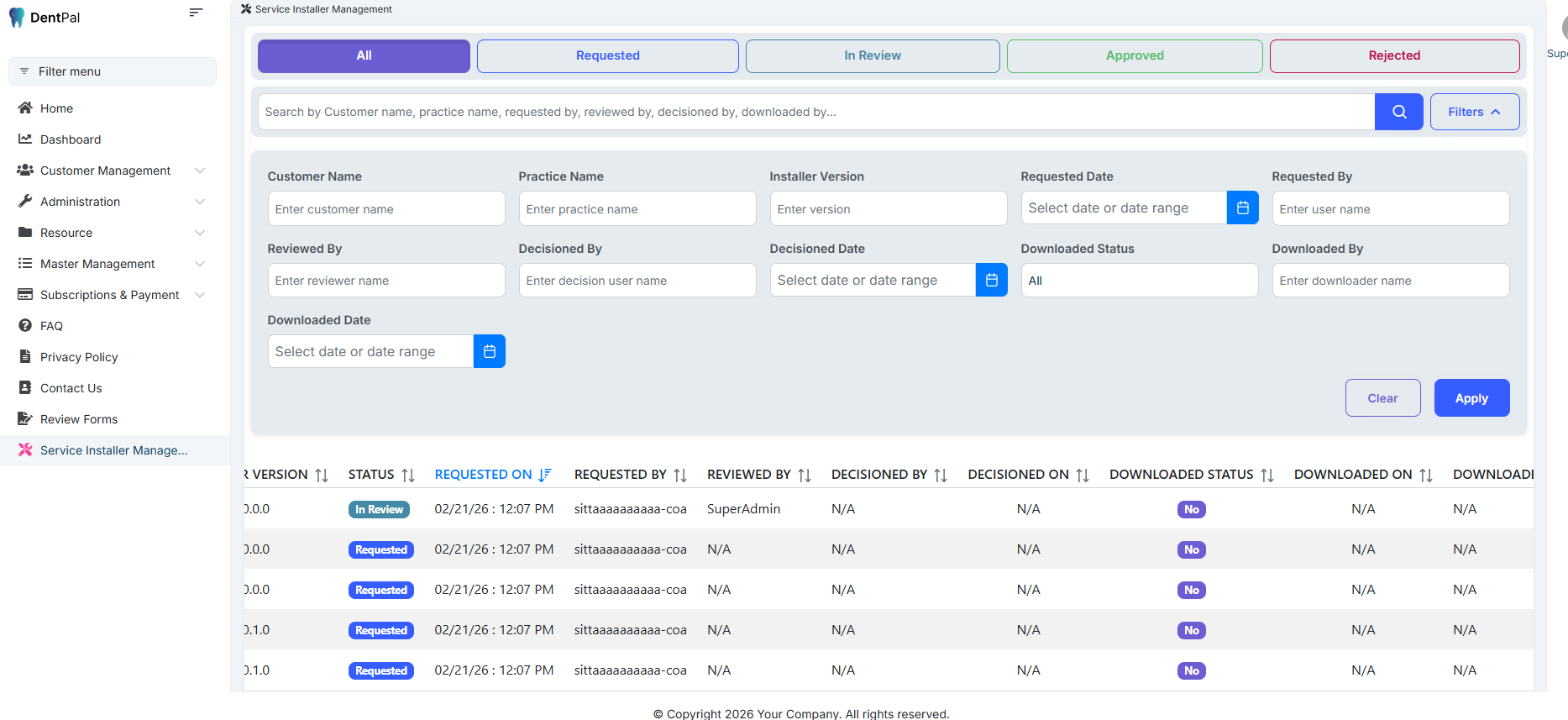
2. Clear button for Downloaded Date.
2.1. while flitering Downloaded Date.
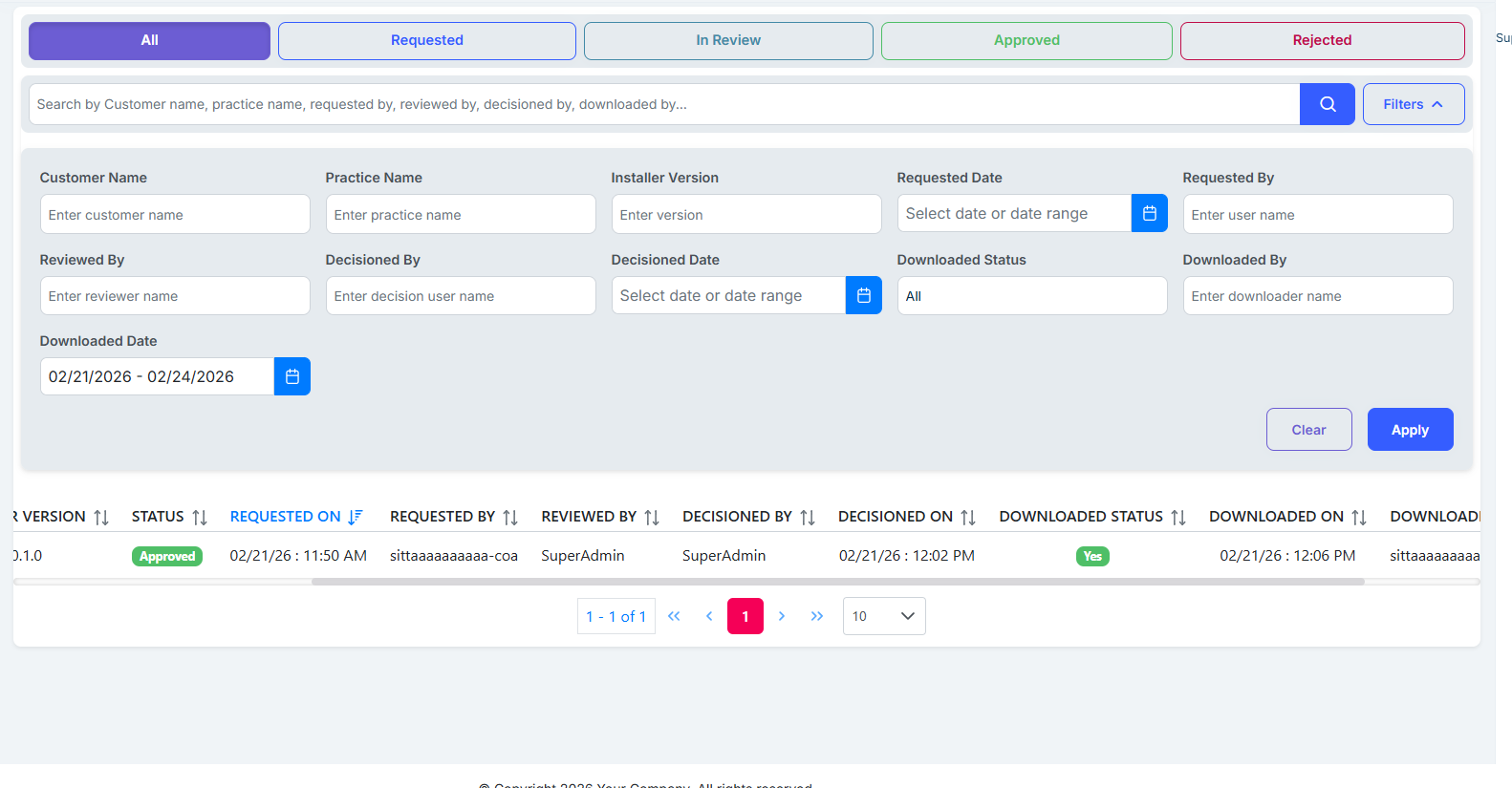
**2.2 After clear the data useing clear btn. **
Updated by Madhu Kampati about 2 months ago
- Status changed from Resolved to Closed