Requirements #442
open(Mile Stone-3) DentPal Configure - Relation between Categories and Three Dot Action Button
Description
DentPal Configure - Relation between Categories and Three Dot Action Button
-
Work from Ticket #377 Needs to be implemented
-
Removal of "EMPTY CATEGORIES"
-
Per discussions with Dev Team and DP Team - For DentPal Configure specifically "ONLY" DentPal SU will be able to "EDIT" Category Names for DentPal Configure. These changes in category name will be pushed to Customer Side. DentPal SU will NOT be able to "Create" or "Delete" categories. Categories are "LOCKED".
Customer will be able to use the Templates in the Template Library (These represent the ones pushed by DentPal) and be able to edit the content. The "RESTORE TO DEFAULT" function still exists. Customer will be able to copy templates to "My Templates" and have access to all "TYPICAL/EXPECTED" functionality with the EXCEPTION of Creating Categories or Editing Category Names.
DEVELOPMENT TEAM please advise if further discussion is needed or if we misunderstood something
-
Appointment Cancelled - Change to "Invite to Schedule" and functionality should be the same as Send Appointment Reminder
-
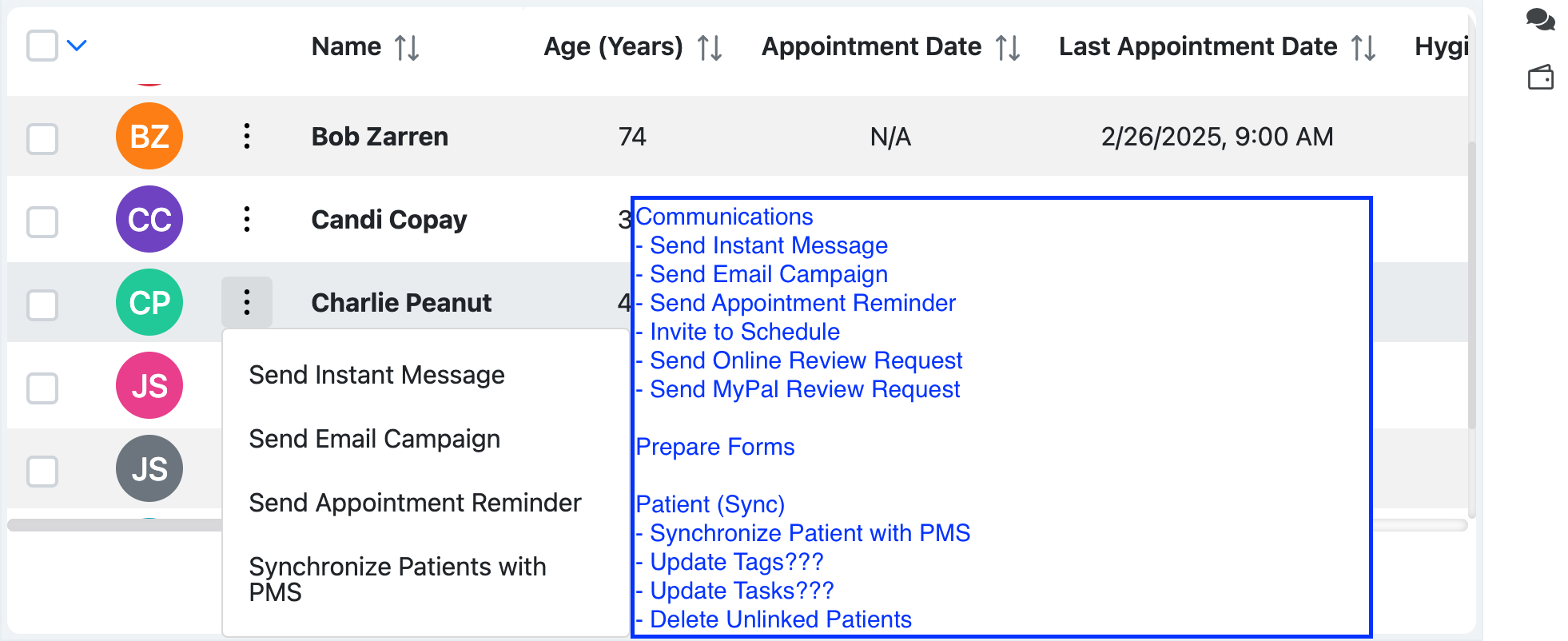
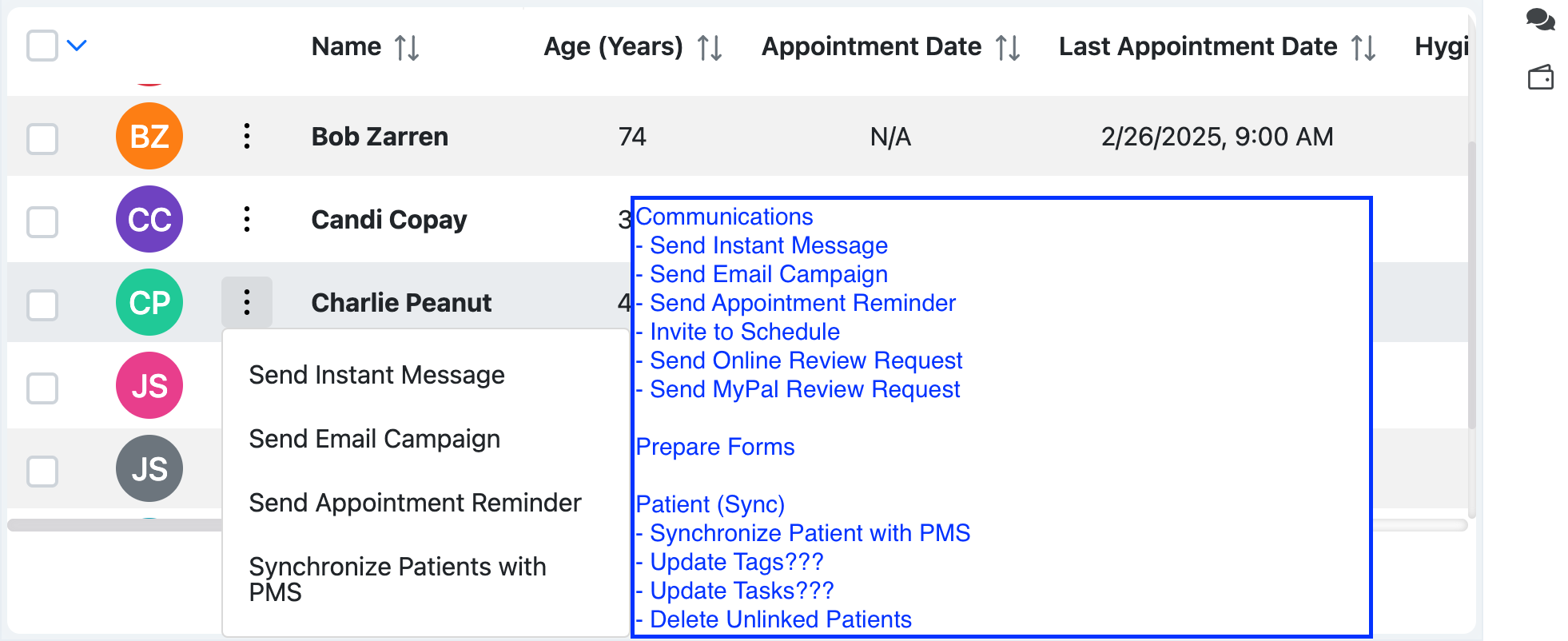
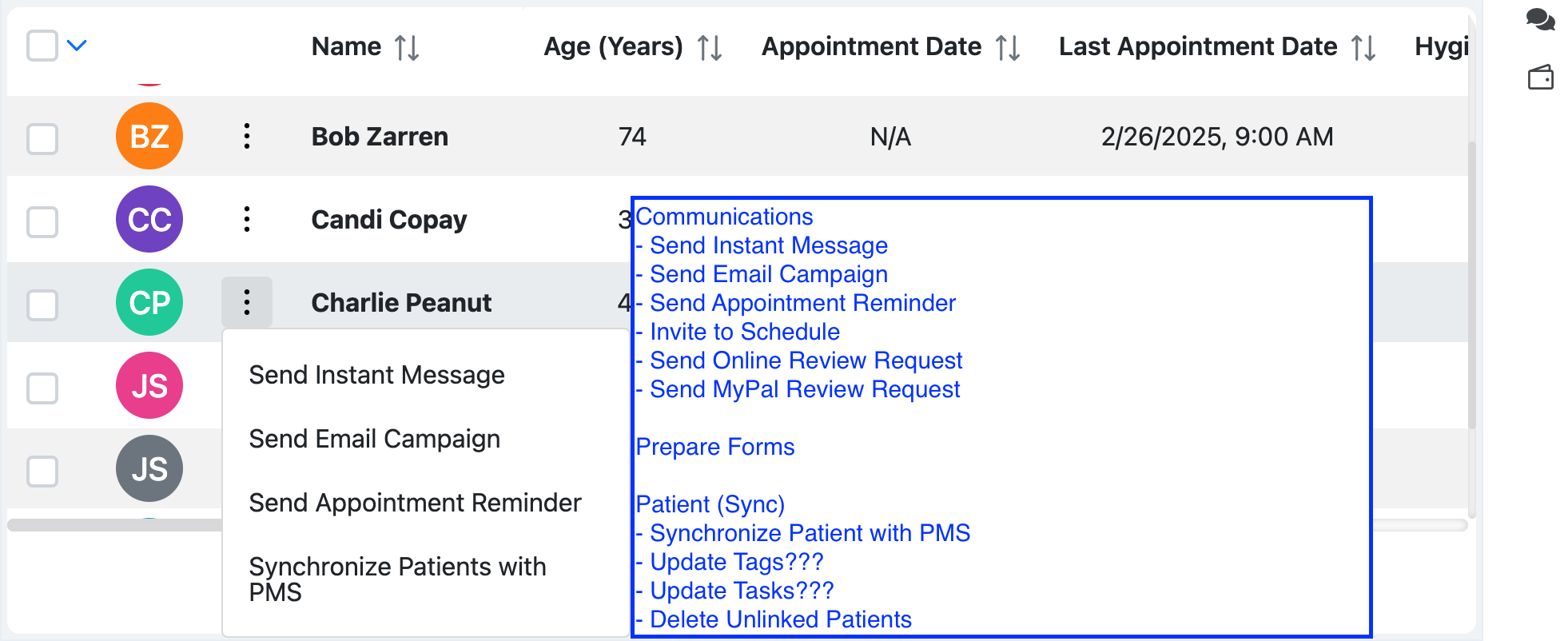
Update Three Dot Actions - See ScreenShot Below
-
Link Three Dot Actions to appropriate templates, functions, screens, etc...
-
Discuss following Action Item Functions:
- Update Tags
- Update Tasks
- Delete Unlinked Patients
- "FORMS" are discussed and included for documentation purposes so that we do not forget. It is a placeholder for everyone. If we can implement "Buttons" but leave them "IN-ACTIVE" for now.
Video Demo Link --->>> https://drive.google.com/file/d/1SKyWv8AuAxd280g26yqNUJjmzLXmaNnr/view?usp=drive_link
Files
| Screen Shot 2025-11-23 at 11.40.33 AM.png (204 KB) Screen Shot 2025-11-23 at 11.40.33 AM.png | Three Dot Action - Functions | ||
| clipboard-202603121847-p5rh9.png (191 KB) clipboard-202603121847-p5rh9.png | |||
| clipboard-202603121849-leagq.png (191 KB) clipboard-202603121849-leagq.png |